Implementing Clickstream Ingestion
5.3.1 Ingestion Flow Overview
High-level data flow:
- User interacts with the Next.js frontend (
ClickSteam.NextJS) hosted on Amplify. - Frontend JavaScript bundles clickstream metadata (page/user/session/product) into a JSON payload.
- Browser sends
POSTrequests toclickstream-http-apiatPOST /clickstream. - API Gateway forwards the request to
clickstream-lambda-ingest. - Lambda Ingest enriches
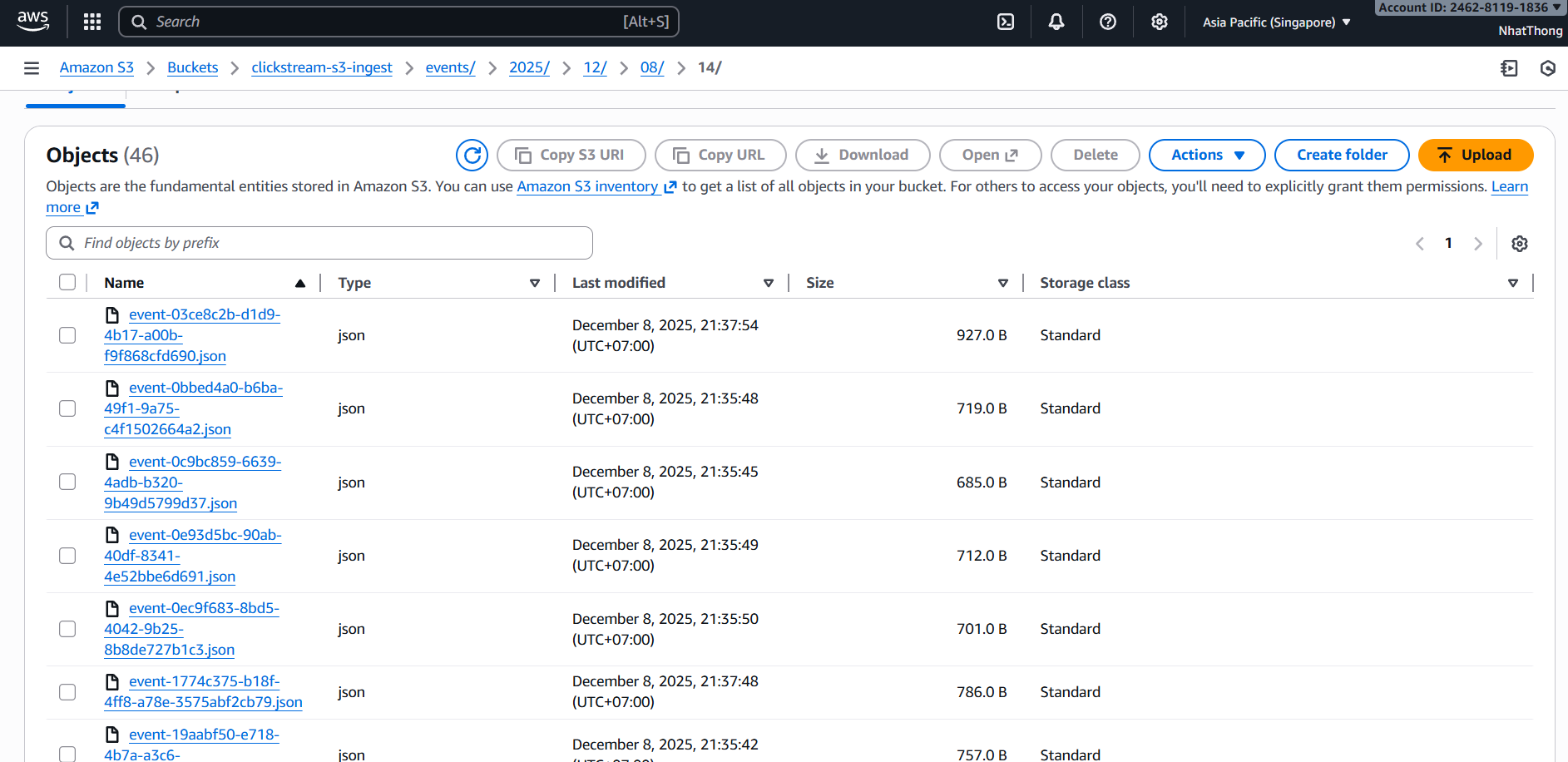
_ingestmetadata and writes one JSON file per event to:s3://clickstream-s3-ingest/events/YYYY/MM/DD/HH/event-<uuid>.json(UTC hour partition)
Design stays stateless and append-only, suitable for downstream batch ETL and idempotent inserts.
5.3.2 S3 Bucket Design
Two buckets are relevant:
Asset Bucket —
clickstream-s3-sbw- Stores website assets: product images, static files.
- Not used for clickstream events.
RAW Clickstream Bucket —
clickstream-s3-ingest- Stores only raw clickstream JSON events.
- Partitioned by UTC hour:
events/YYYY/MM/DD/HH/ - File naming:
event-<uuid>.json
Hour partitions make batch ETL easier (e.g., process previous hour or a specific day/hour prefix).
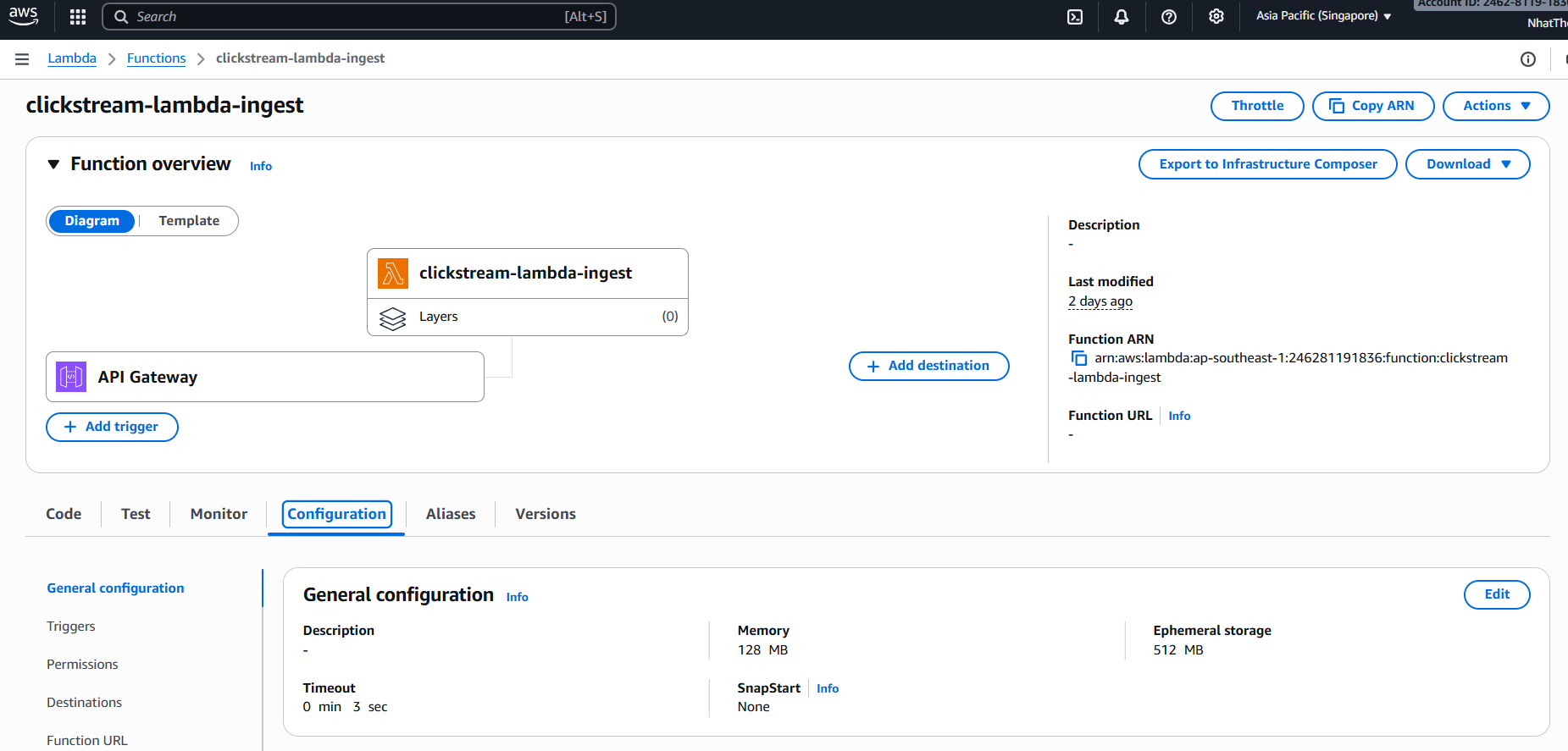
5.3.3 Lambda Ingest Design — clickstream-lambda-ingest
Responsibilities
The clickstream-lambda-ingest function:
- Parses incoming JSON payloads from API Gateway.
- Adds
_ingestmetadata only:receivedAt,sourceIp,userAgent,method,path,requestId,apiId,stage,traceId. - Writes the event body as provided by the client (no server-side filling of user/session/product fields) to S3.
IAM Permissions
The execution role should allow:
s3:PutObjecton:arn:aws:s3:::clickstream-s3-ingest/events/*- CloudWatch Logs APIs to write logs.
No read permissions are needed for this function.
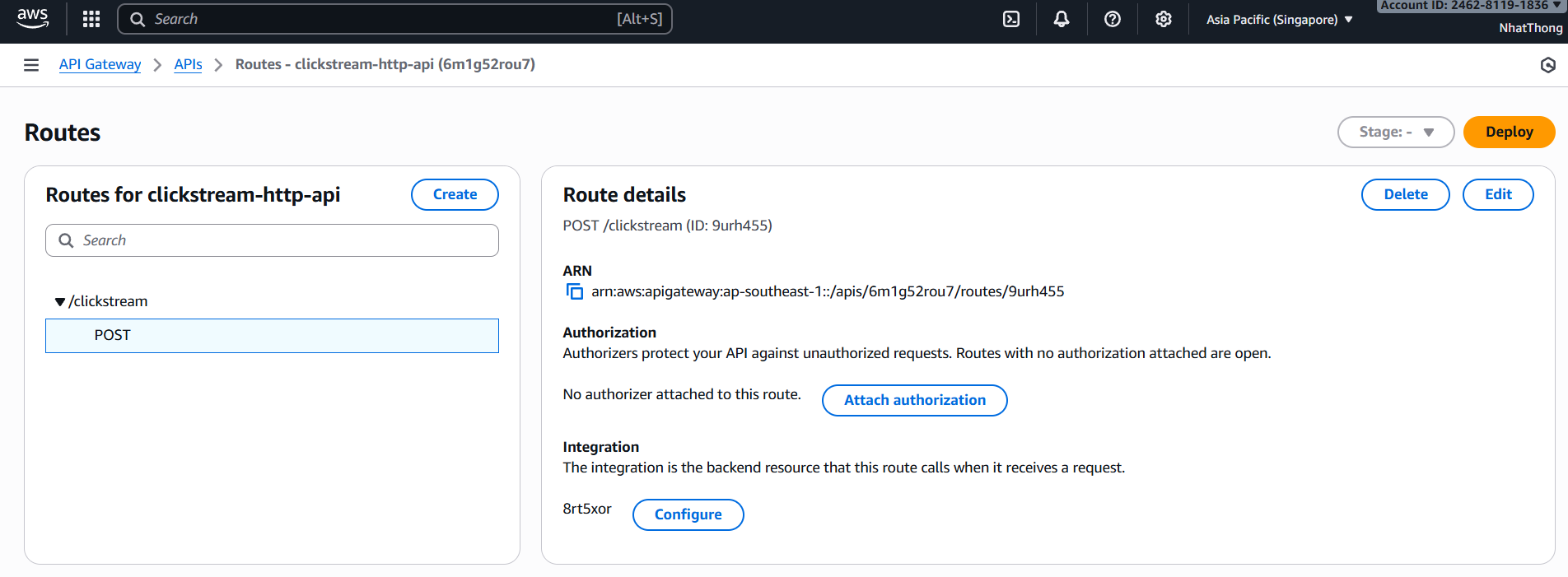
5.3.4 API Gateway HTTP API — clickstream-http-api
The HTTP API provides a public HTTPS endpoint for ingestion:
- Route:
POST /clickstream→ Lambdaclickstream-lambda-ingest
Recommended options:
- Enable CORS so the Amplify frontend can call it from its own domain.
- Enable access logs to a CloudWatch log group for debugging.
- (Optional) Attach an API key or Cognito authorizer if you want to restrict ingestion.
5.3.5 Frontend Clickstream Publisher (Logic)
Identity & idempotency
- Generates
eventIdper event (UUID) for idempotent inserts. - Maintains
clientIdinlocalStorage(sticky per browser). - Maintains
sessionIdinsessionStorage(30m idle timeout) andisFirstVisit.
User, page, and click metadata
- User/auth (if available):
userId,userLoginState, optionalidentity_source. - Page/click:
pageUrl,referrer, element metadata for clicks (tag/id/role/text/dataset).
Product context
- Sent as
product.{id,name,category,brand,price,discountPrice,urlPath}; ETL maps to DWcontext_product_*columns.
Event coverage
- Auto:
page_view, globalclick. - Custom/product:
home_view,category_view,product_view,add_to_cart_click,remove_from_cart_click,wishlist_toggle,share_click,login_open,login_success,logout,checkout_start,checkout_complete.
Domain event wiring
home_view: home page load (tracker component).category_view: category listing render (slug/params).product_view: product detail render (has product context).add_to_cart_click/remove_from_cart_click: cart add/remove handlers.wishlist_toggle: wishlist button handler.share_click: share button handler.login_open/login_success/logout: auth flows.checkout_start/checkout_complete: checkout entry and success flows.
Components & wiring
lib/clickstreamClient.ts: identity/session handling, base builders, console logging, fire-and-forgetfetchtoNEXT_PUBLIC_CLICKSTREAM_ENDPOINT(required env).lib/clickstreamEvents.ts: domain helpers that wraptrackCustomand build product/cart/order context.contexts/ClickstreamProvider.tsx+app/layout.tsx: wire global provider, autopage_view, global click listener.- Tracker components:
HomeTracker.tsx,CategoryTracker.tsx,ProductViewTracker.tsxskip the auto page_view and emit domain events. - Instrumented UI:
AddToCartButton.tsx,FavoriteButton.tsx,app/(client)/cart/page.tsxemit add/remove cart, wishlist, checkout events and mark buttons withglobal-clickstream-ignore-clickto avoid duplicate global clicks.
Runtime behavior
- Client-side only (no SSR effects).
- Logs every event to console; if endpoint missing, runs in dry-run and warns once.
- Network errors are non-blocking to the UI.
5.3.6 Field projection (frontend -> S3 -> DW)
| Field / Block | Frontend payload | Raw S3 (after Ingest) | DW (PostgreSQL) | Notes |
|---|---|---|---|---|
| event_id | eventId generated on client | same as payload | event_id (maps from eventId; ETL fallback UUID) | Primary key, ON CONFLICT DO NOTHING |
| event_timestamp | - | - (S3 LastModified exists) | _ingest.receivedAt > payload > LastModified | Derived by ETL |
| event_name | eventName | eventName | event_name | |
| page_url | pageUrl | pageUrl | - | Not stored in DW |
| referrer | referrer | referrer | - | Not stored in DW |
| user_id | userId | userId | user_id | |
| user_login_state | userLoginState | userLoginState | user_login_state | |
| identity_source | optional | optional | identity_source | Needs frontend/auth to populate |
| client_id | clientId | clientId | client_id | |
| session_id | sessionId | sessionId | session_id | |
| is_first_visit | isFirstVisit | isFirstVisit | is_first_visit | |
| product id | product.id | product.id | context_product_id | |
| product name | product.name | product.name | context_product_name | |
| product category | product.category | product.category | context_product_category | |
| product brand | product.brandName / brand?.name / brand?.title / brand | product.brand or product.brandName | context_product_brand | Frontend maps brand from DB fields |
| product price | product.price | product.price | context_product_price | BIGINT |
| product discount price | product.discountPrice | product.discountPrice | context_product_discount_price | BIGINT |
| product url path | product.urlPath | product.urlPath | context_product_url_path | |
| element metadata | element.{tag,id,role,text,dataset} | element... | - | Not stored (needs schema change) |
| ingest metadata | - | _ingest.{receivedAt,sourceIp,userAgent,method,path,requestId,apiId,stage,traceId} | - | Not stored; available during ETL |
Call pattern (one event per request):
await fetch("https://<api-id>.execute-api.ap-southeast-1.amazonaws.com/clickstream", {
  method: "POST",
  headers: { "Content-Type": "application/json" },
  body: JSON.stringify(eventPayload),
  keepalive: true,
});
ETL maps eventId -> event_id (PK with ON CONFLICT DO NOTHING), derives event_timestamp from _ingest.receivedAt > payload > S3 LastModified, and inserts into clickstream_dw.public.clickstream_events.
5.3.6 Testing & Validation
To validate ingestion:
- Use the Amplify app UI:
- Browse a few product pages
- Add items to cart
- Check S3 bucket
clickstream-s3-ingest:- Navigate to
events/YYYY/MM/DD/HH/ - Confirm new
event-<uuid>.jsonfiles appear.
- Navigate to
- Inspect one JSON file:
- Verify that
_ingestmetadata and product context are present.
- Verify that
- Review logs:
- API Gateway access logs
- Lambda function logs